Showing posts with label following directions. Show all posts

Friday, February 7, 2014

DIY Snowman Fun!!

Are you looking for a quick and easy idea to target TONS of language skills all in one?!?!!?  Grab a piece of paper, a marker and some crayons and you are ready to go!!
Before my students arrived, I drew the three balls of snow so it looked like a snowman on a piece of paper.  I also added the cloze sentence strip on the top.  My students still need this assistance in order to produce complete answers.

What could be addressed with this simple activity?

  • Snowman vocabulary: what parts does the snowman need?
  • Following directions: "draw a scarf on the snowman" "draw three blue buttons on the snowman" You can EASILY make the directions as simple or complex as you need!  Multiple students at different levels?  Give each one different directions, they won't even notice that some are more difficult!
  • Prepositions:  I was targeting the concept "on" with this task but you can work on any concept!!  You can have the students draw the pieces or you can do it for them..."where's the ___?"
  • Answering questions: "What goes on the head?" "Where's the hat?" "When do you build a snowman?" "Why is the snowman wearing a scarf?"
  • Describing:  students can decorate their snowman and tell you what they did using adjectives, colors, locations, parts, functions, and more!
This fun and easy activity can be used with multiple groups or groups with multiple goals!  It is cheap, quick preparation, and can be easily adapted!  How will you use this idea?!

Thursday, July 25, 2013

School of Multi-Step Directions! ((APP REVIEW))

Are you looking for more apps?!  Are you looking for apps that work on multi-step directions?? Are you bored of your "clap your hands" and "put the pencil on the cup" sort of activities?!  Keep reading about a BRAND NEW app from Virtual Speech Center!  I was honored when they contacted me with the opportunity to review this app!  I am so excited to share it with you!  Note, all thoughts and opinions are mine! :)

This app was created for students ages 5-12 but you can obviously adapt it to meet your needs for other age levels as well!  It was created for the purpose of improving auditory comprehension of multi-step directions in the academic context.  Yes! Academic context! Perfect for SLPs working in the school setting with students with speech and language weaknesses impacting academic performance! Justification?  Common core connections? Yes!  To make the connection even stronger, the app uses a school theme! So you can even work on school theme vocabulary at the same time!

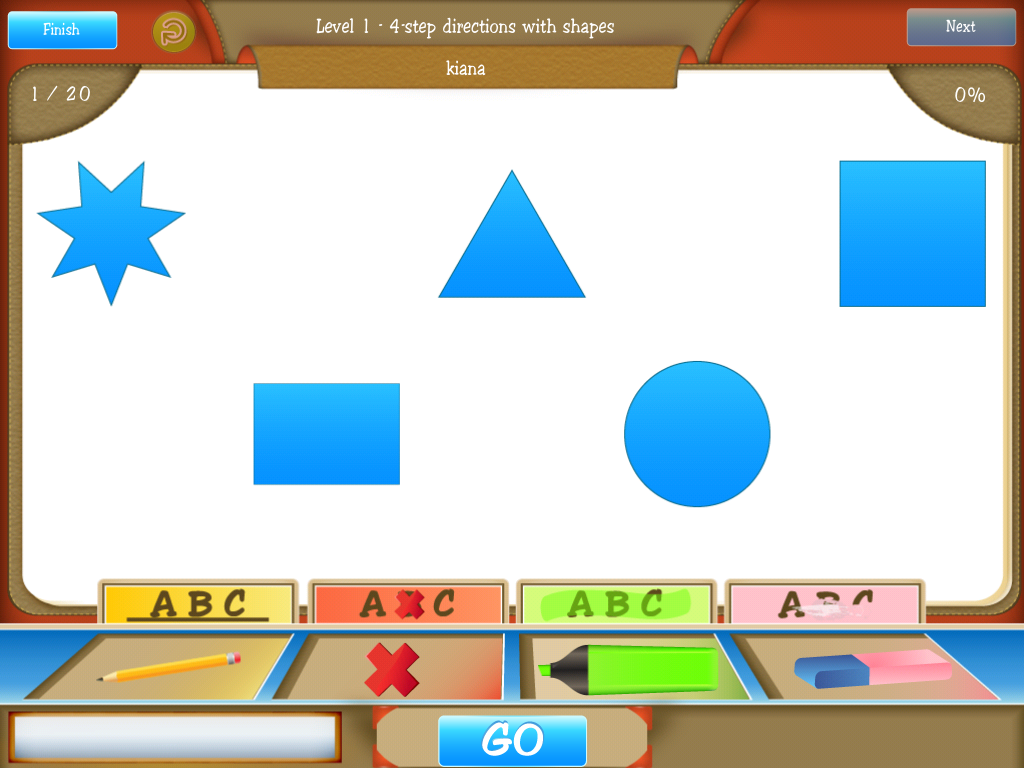
The app includes over 1,000 recorded directions.  These directions are 2, 3, and 4 step of unrelated directions with different levels of difficulty.  

Stimuli include: pictures, letters, and written words with color, size, and temporal concepts.  This is great and easily correlates with CELF-4 results.

Here is a view of the settings you can adjust for this app.  I like that you can select whether or not to add background noise.  This great when working with students with difficulties filtering out background noise (always a factor in classrooms that can impact a student's ability to attend to messages, information, and directives.)

You can input your students into this app just like other Virtual Speech Center apps.  Just click "add student."  You are able to work with 5 students at a time!

After you select the students, you can select the "class" or theme.  There are three different "classes" or activities: english, math, and chemistry.

For each student, you can select the level and complexity of the directions that will be presented to them.

The app uses a cute cartoon that introduces the activity!  I like that students can request, or press independently to hear the directives again!

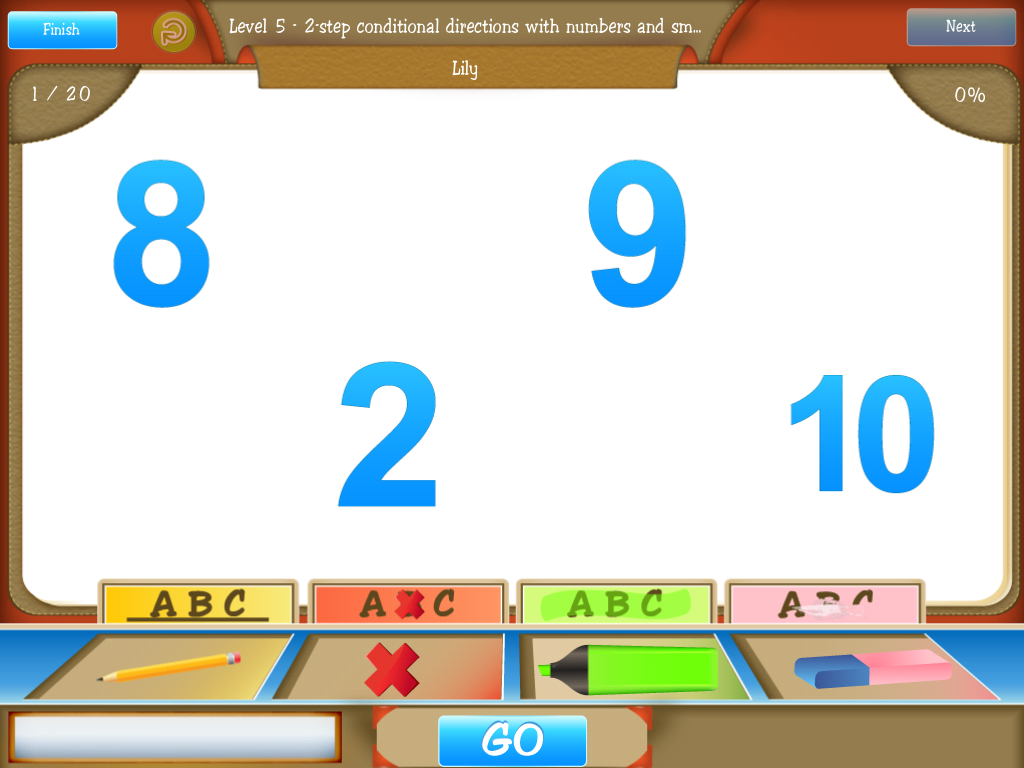
In the "english" activities:  students will be presented with probes based on the ones you selected for them.  As you can see on the bottom, there are pencils, X's, highlighters, and erasers.  Students will use these "objects" to follow directions with the words, letters, or pictures provided.  Students must hit the button "go" at the bottom to ring in their responses (again like the CELF-4 subtest).


In the "math" section, the app uses math concepts while working on multi-step directives.  I recommend only using this activity if your students have mastered these math concepts.  You want to make sure you are working on following directions and not math concepts.  It will help ensure what is  holding them back!  Again, this app has the pencil, X for crossing out, highlighter, and eraser.  Students again has to hit the "go" at the bottom.  See below the different activities at the different levels and complexities.


In the "chemistry" section, the app uses science vocabulary such as flask, ice cub, bowl, temperature, shake, soap, mix, salt, and coloring dye.  It is important that you review this vocabulary first and make sure they understand what is expected of them.


Some examples of directions provided since you clearly cannot listen to the directives from my images!

  • “Set the temperature to cold, shake the flask, and add water to the cup.”
  • “Underline the red letter A and erase the blue letter C.”
  • “If 10 is bigger than 9, highlight 4 and underline 6, if not, cross out 2 and touch 1.”


Students are rewarded with a fun game (reminded me of the game blocks.  They could not let the ball past the erasers).

Once you are done with the exercises or run out of time, you can always hit done.  You can even select to play the game right then and there if you wanted to reward your students at that time if they did not reach the rewards spot in the activity.

You can always hit the "reports" button from the main screen to view reports on your students progress.  You can view "by activity" or "by date" to see when you did what and how they did.  This will help plan follow-up activities with and without the iPad app.

Want to learn more about this $18.99 app and how you can purchase it to use with your students?
Visit Virtual Speech Center's Website by clicking HERE!

Visit iTunes by clicking HERE!

Wednesday, July 17, 2013

Calendar Companion Pack! ((AND GIVEAWAY!!))

Many classroom teachers do "morning meetings" where they go over the calendar, weather, and other routines.  I like to bring calendars into my therapy room to target a variety of skills WHILE reviewing the calendar vocabulary. In the past, I have often found blank calendars on the internet.  I decided, why not create pages perfect for my needs!  I put all of the goals and activities I like to use in one spot just for you!!

In this companion pack:
Blank calendar pages are provided which can be adapted for each year by just writing in the numbers.  You can write in the numbers ahead of time and laminate the pages or leave them blank and have students fill them in as a following directions activity.

Color & Black/White versions are provided.

Activities to target a variety of skills using calendar pages provided or with any wall/desk calendar:
-Following directions:  Students will practice concepts while following multi-step directions (first, second, third, before, after, between, etc.).  Can be used with any month!
Students can input holidays, birthday, and other events such as field trips.  This can elicit conversation, work on following directions, build vocabulary, and answering questions.  A list of holidays/events per month is included (may vary based on year/geographic location).

-Answering questions: For each month, question cards are provided.  **16 question cards per month are provided!

-Compare/contrast:  use the Venn diagram provided to compare the different months of the year.  I even provided a visual with prompts to help students complete this task!

-Resources are provided for your assistance while using this activity pack!

-Articulation word list by sound related to calendar theme

-Say & Color:  Students can color a calendar after they practice producing their articulation targets!

-Verb Practice:  Use the various verb pictures to have students glue onto the calendar pages for the month.  They can practice  using the various verb tenses using the sentence strips provided!


-Write A Grammar Story: Students should use their verbs and noun tenses to write a story about their month.  You can give each student a different month to write about and have the group guess who wrote each one!

I think you will find this one companion pack can be used with a variety of students with a variety of goals of all ages!  You can easily adapt it to your needs!  You can access this companion pack in my TpT store by clicking HERE!

Now you can win a copy for yourself!! YAY!!  Enter to win below!

a Rafflecopter giveaway

Monday, April 1, 2013

BBQing Language Fun!

As the weather gets warmer and summer slowly approaches, I love to BBQ!  We are always hosting huge BBQs here for my family and friends.  I found adorable BBQ clip art that I knew I had to use.  I took a variety of popular language goals and created a huge variety pack with a BBQ/picnic theme!

In this file:

-Salt & Pepper Subject & Predicate sort:  students will sort the cards to either the salt (subject) or pepper (predicate)

-Ketchup & Mustard Grammar Fun: Each card will have a sentence with a noun or verb tense that is incorrect.  Once they respond correctly, they can hold onto their card.  If they get the “ants” card, they will lose a turn.  The student with the most cards at the end of the game is the winner.

-BBQing Wh- Questions:  Students will pick a card and answer it using their questioning skills.  Then they can take a turn in the board game provided.

-Picnic Following Directions:  Students will pick a card and read it or have it read to them.  They must follow the directions in order to hold onto the card.  If they pick the “watermelon” card, they will get an extra turn.  The student with the most cards at the end of the game is the winner.

-Sandwich Synonyms:  Students will pick a card and express a synonym for the underlined word in the sentence provided.  Each card  has a point value, 1-5.  Once students respond accurately, they can hold onto their cards.  At the end of the game, students can add up their points to determine the winner!

-Describing Sentences:  Students will look at the picture and write sentences to describe it on the lines provided!  How many describing words can they include?  You can make it a competition and have students compete for the most adjectives!
You can access this activity in my Tpt Store HERE!

Monday, February 4, 2013

Testing Craziness

My poor kiddos have been subject to a crazy amount of tests in the past two weeks.  Last week we had MAPS testing as well as our common assessment pre-tests.  Our district has common assessments that we use before and after teaching a unit.  Our upcoming unit is on fractions. 

I don't know about you, but sometimes I get the craziest of answers from my kiddos!  Here are a few of the highlights:

I have no idea where this student got the idea of ice cream from the given question, but she sure knows how to write her own problem when she doesn't know the answer!


Food was a common theme - as they all wanted to add food to the number line problem.  This student was into pizza.


This kiddo decided, when in doubt, just copy the question - that has to be worth at least 1/2 a point right? LOL!


At least I figured out where the pizza came from!

I am usually really good at figuring out what to do with student errors and misconceptions, but in this case I am almost at a loss.  I know this is just a pre-test, but almost all of my students didn't even read the problem (or couldn't understand what it was asking).

Any suggestions for reading test questions and following directions?

Sunday, January 13, 2013

Technology Fun! Receptive & Expressive Downloads!

I found this adorable technology clip art and new I had to make an expressive and receptive downloads with them!

Technology Fun: Receptive language!

-Listening for Main Idea & Supporting Details: Students will pick a card and hand it to a teacher/SLP/peer.  They will listen to the sentences provided.  The students must express the main idea and one detail heard.  If students pick the “iPod” card, they get an extra turn!  The students with the most cards at the end of the game is the winner.


-Typing Up Inferences:  Students will pick a card and hand it to the teacher/SLP/peer. They will listen to the paragraph.  Then the student will be provided with a question requiring inferencing skills.  Once the student responds accurately, they can hold onto their card.  Each card has a point value.  At the end of the game, the students will add up their points to determine a winner. 

-Calling For Good Grammar:  Each card will have a sentence with a noun or verb tense that is incorrect.  Students must listen and identify the incorrect word and correct it in order to take a turn in the board game.

-Computer Complex Directions: Students will pick a card and hand it to a teacher/SLP/peer.  They will listen and follow the directions heard.  If they pick the card, “Computer Crashed!  Lose a turn” the student will lose a turn.  The student with the  most cards at the end of the game is the winner!

-iPod Auditory Closure:  Students will pick a card.  They can read it themselves or have it read to them.  They must determine how to finish the sentence provided.  Use the cards with the board game provided.
Grab this download HERE!

Technology Fun!  Expressive Language:


-iPad Conjunctions:  Each card has two sentences that need to be combined with either and, or,  so, or but.  Students must express the combined sentences using the visual provided.  Each card has a point value.  Students may hold onto their cards once they respond correctly.  At the end of the game, students can add up their points to determine a winner!

-Headphone Asking Questions: Each card has a statement.  The student must turn the statement into a question.  If students pick the “iPod” card, they get an extra turn!  The students with the most cards at the end of the game is the winner.

-Describing Cameras:  Each camera has a picture of a common object.  Students must describe what they see.  Then they can take a turn in the board game provided.

-Compare/Contrast Computers:  Each card has two items.  Students must express how they are similar and different.  Once the student has responded correctly, they can hold onto their card.  If they pick the card, “Computer Crashed!  Lose a turn” the student will lose a turn.  The student with the  most cards at the end of the game is the winner!

-Expressing Cause and Effect:  Students pick a card and read the statement provided.  They must verbally express the cause and a possible effect.  Students can use be visual provided to assist in understanding cause and effect.  Each card has a point value.  Once all the cards are  used, the students can add up their points to determine a winner.

You can access this download HERE!

I hope you find these activity packs useful and fun!