Showing posts with label giveaways. Show all posts

Saturday, September 13, 2014

Board Games Visual Aids! (PLUS GIVEAWAY!)

Do you wish you can promote communication using your favorite board games?  Have you noticed that most SLPs love using the same board games?!  I decided to create a visual aid board for each of my favorite board games to promote language.  I picked my favorite phrases to teach and vocabulary from each game to create a board jam packed with ways to promote language and social interaction!
You can print and laminate the visuals and put on a binder ring to hold them all together, or you can leave the boards in the actual board game boxes so they are always there and ready to use when you take out that game.  If these visual board are too overstimulating, you can always cut apart the cards and use them separately!

What games are included:
-Chutes & Ladders
-Connect 4
-Candyland
-Trouble
-Grannies Candies

You can access this pack in my TpT store by clicking HERE!

You can enter below to win a copy for yourself!!!
  a Rafflecopter giveaway

Tuesday, September 9, 2014

New Blog Design...Let's Celebrate!!! (TpT Giveaway!)

I have FINALLY redesigned my blog!  This has been a project a long time coming and I am so glad I finally got it done!  I am so excited to finally share it with all of you!!  Take a look around, it is still the same web address so you can easily find me but I made things nice and easy for you to find!  I cannot wait to hear what you think of it!!

To celebrate, enter to win a TpT product from my store of your choice (sorry, no bundles!)

a Rafflecopter giveaway

Monday, July 21, 2014

The Curriculum Challenge (PART 2!!) --- freebie plus a giveaway!!

Did you catch my previous post regarding the "curriculum challenge?"  I have received amazing feedback from it!  I have also received several questions...so...I have answers and more!
What are some places you go to for curriculum materials/resources?

  • Ed Helper:  This website has great reading comprehension activities.  I have taken short stories and created speech/language activities with them.  Like what?  Pull out articulation words, make Venn diagrams to work on compare/contrast using facts from the text, and creating timelines to work on sequencing.
  • Reading A-Z:  This website has leveled books.  They have books related to curriculum content areas.  You can print out ones at your students' level.  It can be used for working on vocabulary.  It can also help you understand what vocabulary words students are expected to know related to that curriculum topic.
  • Teachers pay teachers!  Just search for the topics your students are working on!!  You will be surprised how many resources you can find!  I have found great sorting activities for vocabulary concepts, cause/effect activities, and other graphic organizers!
How is this different than what a resource room teacher or classroom teacher will do?
We have a different approach!  We work on skills first, then carryover.  For example, work on compare/contrast, make sure students understand how to and can express responses using complete sentences, then give them two science terms to compare/contrast.

We can break down the concepts and see where our students will struggle with our knowledge of their difficulties.  If your students can't answer wh- questions, they are going to struggle answering questions about a text read in their classrooms.  What can we do to help?  Make visual aids to help them recall the different wh- questions.  Pull out the text and show them how using their visuals can help them!

What kind of form do you use to keep teachers informed or to ask what they are working on?
I have created a newsletter template that can be easily completed to keep parents or teachers informed on what is going on in your therapy rooms.  It can be difficult to touch base in person with EVERY teacher you work with (especially if you are in multiple buildings).  You can find this newsletter resource in my TpT store by clicking HERE!

I also have a standard form I use to easily complete and place in teachers' mailboxes.
How do I use these?  I make several copies, cut them apart, and store in a file folder on my desk.  This way I have them ready to go!  All I have to do is complete for a student or place in a teacher's mailbox for them to complete regarding a student.  Although some teachers don't like extra paperwork, others have found that by completing these, I am able to help them and their students more and found it worthwhile!  You can access this freebie in my TpT store by clicking HERE!

I hope these posts have helped you with the curriculum challenge!  How about a giveaway of my speech newsletters?!  Enter to win below!!

a Rafflecopter giveaway

Monday, April 28, 2014

Social Skills Builder (APP GIVEAWAY!!)

Have you heard...it is Autism Awareness Month!  To celebrate, the people over at the app Social Skill Builder has provided me with not just 1, but FIVE app codes to give away!!

Want to learn more about this app?!  You can view my previous post with my app review by clicking HERE!  You can visit them on iTunes or their WEBSITE.

What can you win?!  You can win their lite version or their full version!! Enter to win below!!

a Rafflecopter giveaway

a Rafflecopter giveaway

Saturday, April 5, 2014

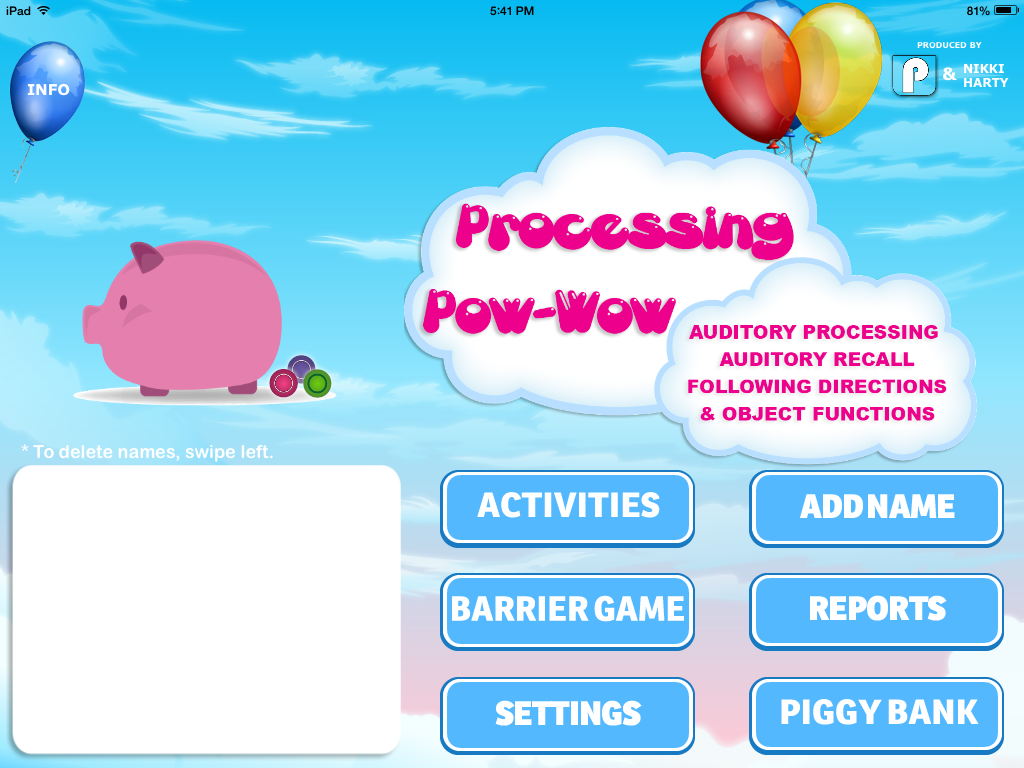
Processing Pow Wow (App Review & Giveaway!)

Are you looking for new and unique apps that work on auditory processing?!  A brand new app has just come out!!  Pocket SLP (with the help of an SLP Nikki Harty) just released a new app called Processing Pow Wow!  I am so excited to have received the opportunity to check it out and share it with all of you!!  Keep reading to learn more and to learn how you can win a copy of the app for yourself!  Remember, the thoughts and opinions are all mine!

This app was conceived by an SLP.  What does that mean?!  Well, she works with children with auditory processing disorders and public schools.  That means, she designed this app with that in mind (and your needs as well as a fellow SLP)!  This app works on auditory processing, auditory recall, following directions, and object function.

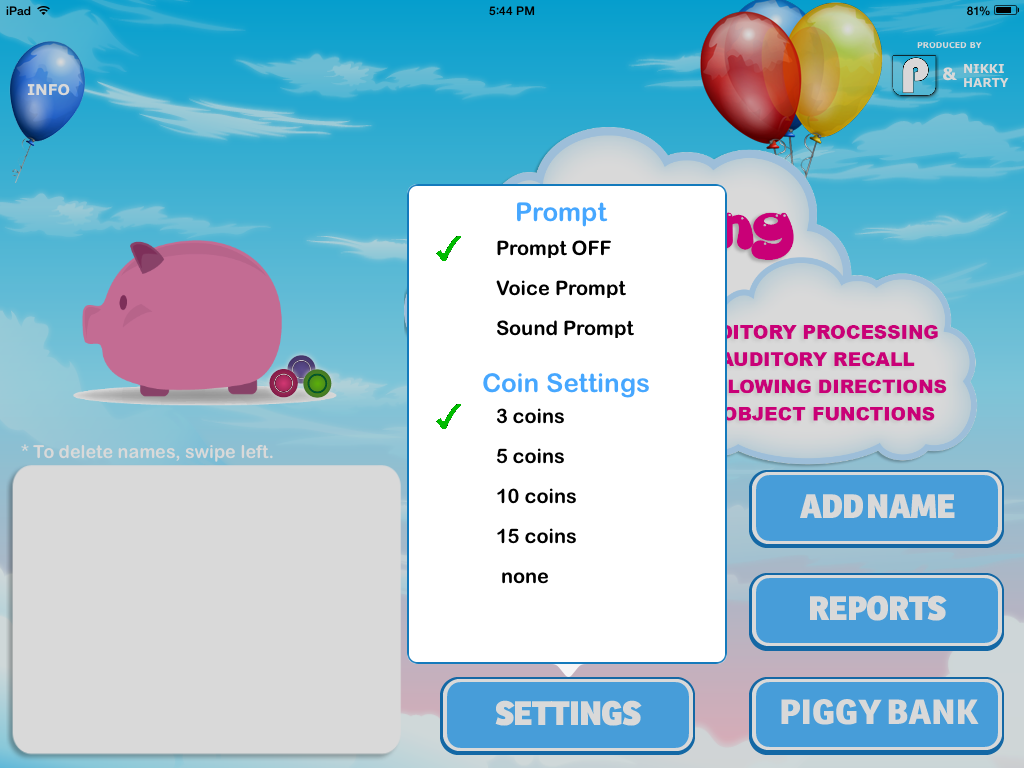
Here is a view of the settings options for this app:

This app allows you to add as many students/clients as you would like.  This is great for group therapy sessions.  For each student, you can select the activity: word, phrase, sentence, or function.


For each activity, there are various levels to select from (1-3).

The word activity at level 1:  students will be presented with an audio of an object label.  Then they will be provided with a "wait" countdown.  Then they will be shown two images.  They must select the image of the audio label they heard.  Were they able to attend to the audio?  Were they able to recall it after having to wait?!  


You can select "next" to keep going or pick a different level if necessary.

The word activity at level 2:  students will be presented with two audio labels and must wait and then select them from a choice of 2.

The word activity at level 3:  students must attend to listen to three labels and select them from an array of images after waiting.


Phrase activity:  students listen to a short phrase such as "blue pants" and then must locate that image heard and select it from an array.

Sentence activity:  students must listen to a sentence, wait the allotted time, and then must locate the image being described in the sentence heard such as "he is riding a bike."

Function activity:  students are presented with an image with a text prompt "what do you do with this?" then are given a "wait" countdown and then must select the picture that can best be used to describe the function of the image previously presented.


At any time, you can select the "noise" button to provide students with distracting background noise.  This is a great way to teach them how to focus attention to important messages and ignore extra noise.

Reinforcement page:  students get to add coins into the piggy bank.  Who doesn't love money?!  You can select how many correct answers they need in order to get this reinforcement page.  Base this on attention and how often students need reinforcing in order to maintain their motivation/focus.  You can access the piggy bank at any time from the main page to see how many coins each student has earned thus far.

At any time, you can click "done" to complete the activity.  You will be brought to a reports page.  Here, you can see the most recent sessions or click "select date" to select a previous date.  Scores are broken down by activity and date.  For each student, you will see scores for each activity and level.  This is a great way to keep track so you remember what was done and how that student performed.  You can base/plan future activities based on their progress or which level they struggled most with.  You can print or export these scores directly from this page.  You can access these reports also from the main page by clicking "reports."


Barrier game:  You can select 1 client for this activity.  You are able to select from scenes: beach, farm, and toy chest.

Click "hear direction" to give the child a direction to follow such as "put the fish in the water."  Students must attend to the direction, comprehend the prepositions and vocabulary used, and recall the direction heard to follow it.  What makes this difficult for students is you cannot repeat it!  Each time you click "hear direction" the next direction is presented.  After students place the images as directed, you can mark them correct or incorrect using the buttons provided.  This way you can collect data on their performance.  At any time, you can click "noise" to provide background/distracting noise for your students during this activity.  Click "reveal" to compare students' pictures to the "app pic" to compare answers.
Things I like about this app:

  • The wait concept.  so many students with processing difficulties want to impulsively respond.  They tend to be incorrect this way.  We work with them to learn how to wait and  use their compensatory strategies to assist them in recall of auditory information.  In the classroom, a teacher may ask a question but the student needs to comprehend the question and retain the answer as they raise their hands and wait to be called on.
  • Background noise: I love that you can select whether or  not to use it.  You can make it louder and louder as necessary as you would like.  It is important for students to learn how to ignore unnecessary background noise and to focus on the auditory messages that are important.  How many times do you work with kids that get distracted by a class walking by in the hallways!  Students may need to learn how to work in class while other class members are discussing answers around them.  They need to learn how to focus their listening.
  • The different levels:  no matter what level your students are on, there is a level in this app to work on!  I really love the barrier game too which works on following directions as well!
  • Differentiation: you can have different activities/levels for the different students.  You can switch them from activity/level at any point easily.  You can switch to the next client whenever you see fit as well.  This is nice if you have a student that can use an extra practice drill before moving on to the next one!
  • Reinforcement: so simple as a coin in a piggy bank but rewarding!  It gives the students a "score" or "count" of coins which is motivating too!
  • Multiplayer:  in a school setting, you often have groups so this is amazing!
  • Data collect, progress monitoring, and easy print/export functions!
Overall this is a great app for anyone working with students with auditory processing difficulties.  I highly recommend it!!  Learn more about this $19.99 app by visiting iTunes!

Loving this app yet?!  Want to win a copy for yourself?!  Enter to win below!!
a Rafflecopter giveaway

Wednesday, April 2, 2014

Comparing & Contrasting SpeechPad (PLUS GIVEAWAY!!)

I am always looking to find new ways to work on tricky concepts.  When it comes to comparing and contrasting, I find my students can identify which items go together and those that do not.  However, they struggle with expressing HOW and WHY!  I've used EET, visuals, models, and more...I still have several students that struggle to see the connections on their own.  How many prompts can you give before you say FORGET IT!  I created a new activity using a new method of teaching this concept!!
What is this new method I speak about?!  Well....I took the most common 4 ways items can be the same (or different for that matter) and broke them up.  I made visuals for each of them and 24 practice drill cards.  I teach each one separately to ensure that students completely recognize and understand the connection and how items can go together in that way.  Once each of the four are mastered, it is not time to mix them together and see if students can identify which one is being compared with each pair of objects presented.  The same visuals used in the individual visual is used in the combined visual.  Keep reading to see what I mean!!

In this activity pack:
-Four common ways to compare are introduced.  Students will be provided with a visual on how to express each comparing type (function, looks, location, & category).  24 stimulus cards are provided to practice.  Each comparing type uses a different “iPad” color to help with storage and make it easy to sort and use.

-Compare/Contrast visual is provided and an opportunity to use all 4 ways to compare and contrast are provided.  Can your students identify which way makes them the same?  Which way makes  them different?  Use the sentence strip on the visual to encourage complete sentences!!


-Review worksheets are provided!
I am so excited about this new activity!!  You can access this activity in my TpT store by clicking HERE!!


Now do you love it???...How about a giveaway?!?!?!
  a Rafflecopter giveaway

Tuesday, January 21, 2014

Speech Time Fun's 2nd Birthday Fun!! ((DAY TWO!!)) -- Freebie, giveaway, and more!

Welcome back to day 2 of the 2nd birthday celebration!!  Today is my actual blog-birthday!!  On January 21, 2012, I decided to start a blog to document my ideas for work that worked well, and because of all of you, this blog has turned into something so much bigger!!  I am still in shock!!  Thank you to all of you for keeping me motivated to create, inspire, and find fun new ideas for my students (and in turn, YOUR students!).  I love what I do..and I hope to make your job easier so you will always love it as well!!
Today, for one day only, my ENTIRE TpT store will be 20% off!!  Go ahead a grab some items off your wishlist!!  
How about another FREEBIE for today?!!

Do you have students working on identifying the difference between synonyms or antonyms?!  This freebie is for you!
Using this freebie:
-Each card has two words.  Students must pick a card and express if the two words are synonyms or antonyms.

-Use these cards with any motivating game/activity.

-A visual is provided to encourage expanded utterances and to assist with understanding target.  Students can prompt themselves using this visual.


-Review worksheet is included.

You can access this freebie by clicking HERE!!

If you like this freebie, check out my complete synonyms and antonyms Valentine's Day activity by clicking HERE!
How about another giveaway!!  ANOTHER winner today will win TWO products of their choice from my TpT store!!!! Enter to win below!!
a Rafflecopter giveaway

Thank you to all of you for supporting Speech Time Fun!  I look forward to continuing to provide ideas, resources, products, and more with all of my fellow speechies!!
Classroom Freebies Manic Monday

Monday, January 20, 2014

Speech Time Fun's 2nd Birthday Fun!! (giveaways, freebies, and more!)

Wow!  I cannot believe this little "project" I started to help document my fun ideas for work has continued and grown to THIS!!  I would have never expected the support and love.  When I started this project, I didn't think anyone would even check it out let alone view it OFTEN!  With the growth of Speech Time Fun, I have grown as an SLP too.  I am learning so many new ideas, tricks, and resources -- from researching for you as well as what  you have shared with me!!  Thank you from the bottom of my heart for taking the time to check out my blog, TpT store, Facebook page, Instagram, Pinterest, etc.!!  I love what I do and I love even more sharing my love with all of you!
 Since it is my 2nd birthday, we will have lots of fun over the next 2 days!  Follow my facebook page to stay tuned with all I have to offer!!  There may be some giveaways/contests going on over there! (HINT HINT!)

Should we start with a freebie?!  How about one for Valentine's Day!?


Each card has two items mentioned.  Students must pick a card and express how they are the same and different.  

Use these cards with any motivating game/activity.

A visual is provided to encourage expanded utterances and to assist with understanding target.  Students can prompt themselves using this visual.


Review worksheet is included.

You can access this FREEBIE in my TpT store by clicking HERE!

How about a giveaway!?!?! One lucky winner will get to select TWO products from my TpT store!!!! Yes...you read correctly!!  TWO!!!  YOUR CHOICE!!! Enter to win below!

a Rafflecopter giveaway

Last but not least, I will be holding a SALE on my TpT store TOMORROW ONLY (my actual blog birthday!)


Classroom Freebies Manic Monday

Tuesday, January 14, 2014

Language Trainer (App Review & Giveaway)!!

Smarty Ears has come out with another great app, Language Trainer!  It was created by an SLP and is designed for working on vocabulary, word finding, stuttering, and receptive/expressive language.

You can use this app with your Therapy Report Center, which is a great way to keep all data together in one spot.

There are four different activities to select from:
  • picture identification
  • picture naming
  • divergent naming
  • sentence completion

Below is a view of the settings you can alter:


You can also modify the database.  This is great if you know students would not recognize vocabulary such as beets, pomegranates, or buffalo.  This is also good if you use a different label for some items based on your geographic location (i.e. soda, lollipop).

Picture Identification:
Students are presented with two-three-four-five images and a verbal label.  They must select the image that they hear.  This will easily track receptive vocabulary.  You can informally have them repeat the label, categorize, or describe it (but the app won't track those responses).  Students can click "repeat" if they need repetition.


At any time, you can click "done" to complete the activity.  Student responses are scored and saved for data collection.  Once you click "done" you are automatically brought to the report center.  You can view report or can view it later.  Just click "back" to go back to menu.

Picture Naming:
Students must name the picture presented.  They can have their verbal responses recorded and played back.  You can score they responses, other group members can score it for them, or the students can score themselves.  There is even a button to indicate if they had to be "cued" in order to respond!  This is great for data collection!!!

Divergent Naming:
Students must verbally complete the tasks presented.  Responses can be recorded and played back.  Again, scores are marked and can be marked by you or the students.  I love that each of the two responses required gets their own "markings."  I find my students often can name 1 item but have trouble coming up with more.  This task will be great for those with word finding difficulties.


Sentence Completion:
Students must complete the phrases presented verbally.  Again, just like all other verbal tasks, the responses can be recorded/played back and marked.  This activity also has the "cued" button which is AWESOME!!

At any time, you can view the report center.  Reports are sorted by activity and date completed.  I love all the amazing information provided!!  


I also love that you can "add notes" right into the app.  I am very forgetful and always wish I "wrote it down."  Well, this app lets you keep all of that great information together!

Just like all other Smarty Ear's apps, you can share this information!  You can open in Therapy Report Center, iBooks, email the reports, dropbox, print, or just copy.

Want to learn more about this great $14.99 app!  Click HERE!

Smarty Ears was EXTREMELY generous and provided me with ANOTHER copy of this app to give away!!!
a Rafflecopter giveaway